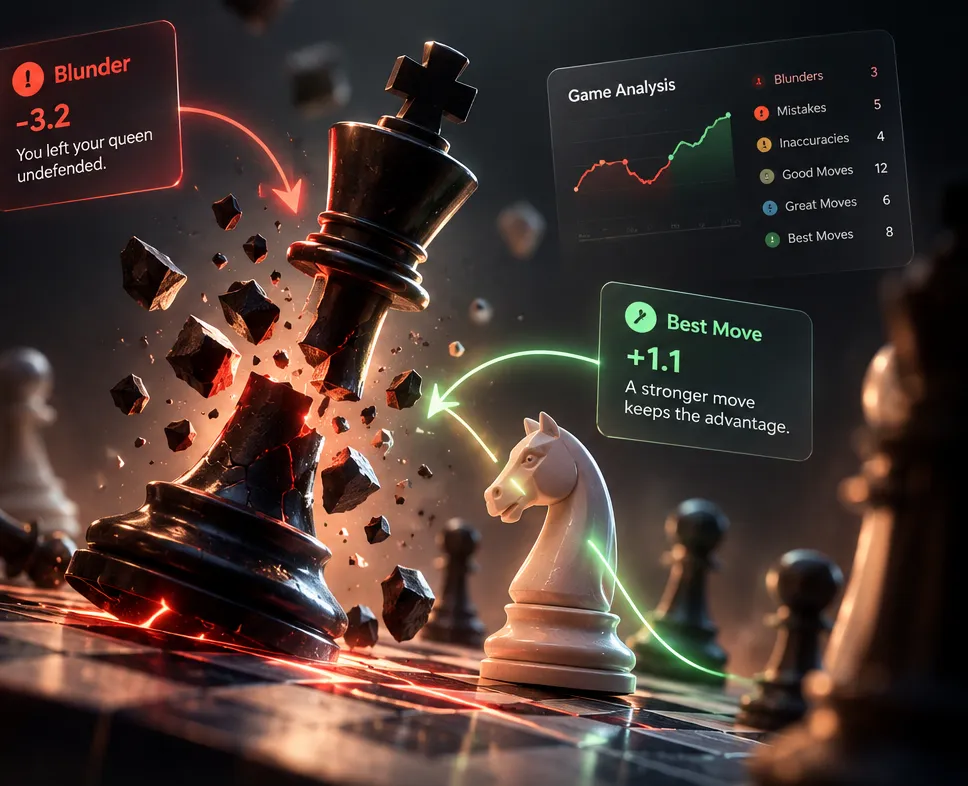
Free chess game analyzerTurn yourblundersinto progress
Free chess analysis for your Chess.com and Lichess games. The Stockfish chess engine finds your mistakes, explains what went wrong, and helps you get better with every move.
Chess.com or Lichess username, or upload a PGN file.
Detailed analysis
Find blunders, mistakes and missed opportunities.
Simple explanations
Understand what went wrong in plain language.
Practice your mistakes
Spaced-repetition puzzles from your own games.
Find your Mistake DNA
See the errors you repeat across many games.
One game, start to finish
Watch a blunder become a lesson.
01 · Import
Bring in any game in seconds
Type your Chess.com or Lichess username and pick a game, or drop in a PGN. Chess Blundr replays it move by move, right in your browser.
02 · Grade
Every move gets a grade
Stockfish checks every position. Each move is rated from Brilliant to Blunder by how much it changed your winning chances, not just raw centipawns.
03 · Spot
Find the moment the game turned
4.Nxe5 looks like it wins a pawn. The eval graph shows the truth: the advantage swings by 2.5 pawns in one move.
04 · Understand
Learn why, in plain English
“Qg5 attacks your knight on e5 and the pawn on g2 at the same time. You can’t defend both.” No engine jargon, just the idea you missed.
05 · Fix
See the stronger move
4.Nxd4 removes the intruder, and you keep a healthy +0.9. Every mistake comes with the better move and the reason it works.
06 · Practice
Turn the mistake into a puzzle
Your blunders become your training set. Try it now: you’re White. Find the move that keeps the advantage.
Drag or tap a white piece on the board
Move grades
Nine grades. One honest scale.
Grades come from your change in winning chances, not raw centipawns. Dropping from +8 to +6 in a won game is fine. Dropping from +0.5 to −1.5 is not. The scale knows the difference.
Keeps your chancesThrows them away
!!
Brilliant
A sound sacrifice that is also the only good move.
!
Great
The only move that keeps your advantage.
★
Best
The engine’s top choice.
✓
Excellent
Almost as good as the best move.
·
Good
A solid move with a small cost.
?!
Inaccuracy
Gives away a little of your winning chances.
?
Mistake
A clear drop. Your opponent can take over.
✕
Missed win
Your opponent slipped and you didn’t punish it.
??
Blunder
A move that throws the game away.
Why Chess Blundr
Most tools tell you what went wrong. We tell you why.
Explanations a human would give
Each mistake is read for its idea: the piece you left hanging, the mate you allowed, the capture your opponent gets next. You read a sentence, not a string of engine moves.
??
23.Rd1 lets your opponent take your queen on f3 with Bxf3. −4.1
★
23.Qg3 was stronger. It steps out of the pin and keeps the attack on g7.
Puzzles from your own games
Every blunder and missed win becomes a position to solve. You train on the exact spots where you lose rating.
Clock-aware review
We read the clock times in your Chess.com and Lichess games and flag the mistakes you made in time trouble, so you can tell nerves from knowledge.
Critical moments first
Skip the 40 quiet moves. Jump straight to the three swings that decided the game.
Free, private, no account
Stockfish runs on your own device. Your games never touch our servers, and there is no daily limit.
A free chess game analyzer built to make you better.
Chess Blundr is a free chess game analyzer for players who want more from a game than the final result. Type your Chess.com or Lichess username, or upload a PGN, and every move you played is checked by Stockfish, the strongest open-source chess engine in the world. In a couple of minutes you get a full chess game review: graded moves, an evaluation graph, the critical moments that decided the game, and a plain-English reason for each mistake. There is no account, no paywall and no daily limit.
What is a chess game analyzer?
A chess game analyzer replays a finished game and asks a chess engine to judge each position along the way. The engine searches millions of continuations and returns an evaluation: a number that says which side is better, and by how much. By comparing the evaluation before and after every move, the analyzer shows exactly where the advantage changed hands. That is the heart of chess game analysis. It tells you not just who won, but which moves won and lost it.
Most players lose rating to a handful of recurring errors, not to a lack of opening theory. A good analyzer finds those moments for you, so you spend your study time on the positions that actually cost you points.
How Chess Blundr analyzes your games
Import. Enter your username to load the recent games you played online, or upload any PGN file, including over-the-board tournament games.
Engine analysis. A Stockfish build runs directly in your browser and evaluates every position. Choose Quick for a fast pass, or Deep for a stronger search on an important game.
Grading. Each move earns one of nine grades, from Brilliant to Blunder, based on how much it changed your winning chances.
Explanation. Every inaccuracy, mistake, blunder and missed win comes with the better move and a sentence explaining the idea you missed.
Practice. Your mistakes become puzzles in a spaced-repetition deck, so the same pattern doesn’t beat you twice.
A chess analysis board that explains itself
The review screen works like a familiar chess analysis board. Step forward and back through the game with the arrow keys, flip the board, watch the evaluation bar move, and follow the green arrow to the engine’s best move. Unlike a bare analysis board, it also tells you why a move went wrong. Instead of a long line of engine notation, you read something like: “Qg5 attacks your knight on e5 and the pawn on g2 at the same time.” That turns chess position analysis from a list of numbers into an idea you can remember at the board.
Looking for a chess analysis board free of sign-ups and paywalls? Everything here runs in your browser. Your games are analyzed on your own device and never uploaded to our servers.
Why winning chances beat raw centipawns
Many tools grade moves by centipawn loss alone, which treats every pawn of evaluation the same. Chess Blundr converts the engine’s evaluation into a win percentage first. Dropping from +8 to +6 in a completely won position barely changes your chances, so it isn’t called a mistake. Dropping from +0.5 to −1.5 in a balanced middlegame changes everything, so it is. The result is a review that matches how strong players actually think about errors, and an accuracy score you can trust from game to game.
Analyze the games you play online
If you play chess online, you already have a library of lessons waiting. Chess Blundr reads your recent games from the public Chess.com and Lichess APIs, the same data visible on your profile, so you never share a password. It also reads the clock times stored in online chess games and flags the mistakes you made in time trouble. That helps you separate nerves from knowledge: a blunder with eight seconds on the clock needs a different fix than a blunder with eight minutes.
From one game to patterns across many
A single review shows you one evening’s mistakes. Mistake DNA looks at your last 10 to 40 games together and counts what you repeat: hanging pieces, missed forks, a weak endgame, or openings where you keep leaking points. The practice deck then brings each of those positions back on a schedule, 1, 3, 7, 16 and 35 days after you solve it, until the pattern sticks. This is free chess analysis that keeps working after the game is over.
The best way to learn chess
If you are wondering how to learn chess, start with the rules, then let your own games become the textbook. Our free learn chess course teaches how every piece moves on an interactive board. After that, the best way to learn chess is a simple loop: play, review every game with the analyzer, and practice the positions you got wrong. Openings work the same way. The best way to learn chess openings is to pick one opening for each color, learn the ideas behind the first moves, and then check your opening leaks to see exactly where your games go wrong.
Who is this for?
Beginners who want to know why they keep losing pieces, explained in plain language. New to the game? The Learn course covers how every piece moves.
Club and online players who want a quick post-game routine after every rapid or blitz session.
Coaches and students who want a clear, shareable recap of a game with accuracy, move grades and the evaluation graph.
Over-the-board players who want to check a tournament game from a PGN file.
Tips for a better chess game review
An engine is a tool, not a teacher on its own. To get the most out of every review:
Guess first. Before opening the analysis, note where you think you went wrong. Comparing your guess with the engine is where the learning happens.
Start with the critical moments. Look at the two or three biggest swings in the evaluation graph before anything else.
Read the reason, not just the move. Ask what the better move attacks or defends, and what your move allowed.
Review soon after playing, while your thinking during the game is still fresh.
Do your puzzles daily. Five minutes of spaced practice beats an hour of review once a month.
Ready? Your next lesson is a game you have already played. Run it through the analyzer now. It’s free, private, and starts in under a minute.
Import the game and run it through a chess engine. On Chess Blundr, type your Chess.com or Lichess username, or upload a PGN, and pick the game. Stockfish checks every move, grades it from Brilliant to Blunder, and explains each mistake in plain English. Before you look, try to guess where you went wrong. Comparing your guess with the engine is where most of the learning happens.
What is the best app for analyzing chess games?
It depends on what you want from the review. Chess.com and Lichess both include engine analysis for games played on their own sites. Chess Blundr is built for learning from your mistakes: it is free with no daily limit, works with Chess.com, Lichess and PGN games, explains each mistake in plain English, and turns your errors into practice puzzles. Stockfish runs in your browser, so your games stay on your device.
How to do game review in chess?
A good game review has four steps. First, go through the game without an engine and note the moments you were unsure. Second, run an engine analysis and find the two or three biggest swings in the evaluation graph. Third, for each swing, work out why the better move works and what your move allowed. Finally, practice those positions again later so the lesson sticks. Chess Blundr handles steps two to four for you.
How can I review a chess game online?
Open the analyze page, enter your Chess.com or Lichess username and choose a recent game. You can also paste a PGN from any other site or from an over-the-board scoresheet. The review runs in your browser in a minute or two, with no account needed.
What is analysis in chess?
Chess analysis is the study of positions and moves to find the best play and understand why it is best. Players analyze by calculating variations and judging the positions that result. Modern analysis also uses engines like Stockfish, which score a position in pawns: +1.0 means White is about a pawn better. Comparing the score before and after each move shows where a game was won or lost.
Is Chess Blundr a free chess game analyzer?
Yes. Analysis runs on your own device with Stockfish, so there is no server cost per game, no daily limit, and no paywall on the review.
Do I need an account?
No. Enter your Chess.com or Lichess username, or paste a PGN, and start reviewing straight away. Your practice deck and Mistake DNA results are saved in this browser.
Can I analyze games I play online?
Yes. We read your recent games from the public Chess.com and Lichess APIs, the same data anyone can see on your profile. We never ask for your password.
How are moves graded?
We compare your winning chances before and after each move, using Stockfish’s evaluation converted to a win percentage. Bigger drops earn harsher grades, and a drop matters more in a balanced position than in one that’s already won.
Which chess engine does the analysis use?
Chess Blundr uses a lightweight build of Stockfish that runs in your browser. It is far stronger than any human, and you can switch to a deeper search for important games.
Can I analyze an over-the-board game?
Yes. Write the moves down as a PGN, from a scoresheet or another app, and upload or paste it on the analyze page. You get the same chess game review as for games played online.
What is Mistake DNA?
A report built from your last 10 to 40 games at once. It counts the kinds of mistakes you repeat, shows your weakest game phase, how often the clock caused your errors, and which openings leak points.
How does the practice deck work?
Every mistake you make becomes a puzzle. Solve one first try and it comes back later (1, 3, 7, 16, then 35 days). Miss it and it returns tomorrow. Spacing reviews like this is what makes patterns stick.